

















 Shop
Shop


Question
"I need to factory reset my iPad but I do not know the iCloud password. Has anyone succeeded in resetting an iPad without the iCloud password?"
If you need to factory reset iPad without iCloud password, the first thing to check is whether Find My is on.
This 2026 guide explains how to reset iPad without iCloud password, when Settings or computer restore works, and when the linked Apple Account is still required.


Quick answer
You can erase an iPad without the iCloud password only in specific situations. If Find My is off, Settings or computer restore may work. If Find My or Activation Lock is on, the linked Apple Account, previous owner, or proof of purchase may still be required. LockWiper is useful for authorized screen passcode, Apple Account, and reset workflows.
In this article:

Can You Factory Reset iPad Without iCloud Password?
Sometimes yes, but not in every case. "iCloud password" usually means the Apple Account password tied to iCloud and Find My. If Find My is disabled and you know the screen passcode, Settings erase can work. If the iPad is locked by passcode, recovery mode or screen unlock software can erase it. If Activation Lock appears after erase, you still need ownership verification.
| iPad Status | Can You Reset Without iCloud Password? | What Happens Next |
|---|---|---|
| Find My is off and you know screen passcode | Yes, through Settings | iPad erases and sets up normally |
| Screen passcode is forgotten | Yes, by erase/restore or unlock tool | Data is erased; backup and Apple Account may be needed |
| Find My is on | Erase may work, but activation may require Apple Account | Activation Lock can appear during setup |
| Second-hand iPad asks for previous owner's account | No clean reset without owner release | Ask previous owner or contact Apple with proof |
How to Reset iPad Without iCloud Password
1 Reset iPad in Settings
Use Settings only when you can open the iPad and Find My is off or you know the Apple Account password. Open Settings > General > Transfer or Reset iPad > Erase All Content and Settings. Enter the screen passcode if asked.

- This method erases the iPad.
- If Find My is on, the iPad may ask for the Apple Account password.
- Create a backup first if the iPad still opens and the data matters.
2 Reset iPad with LockWiper
You can also watch the step-by-step video to reset an iPad without iCloud password.

If you cannot open the iPad or the screen passcode is forgotten, iMyFone LockWiper is the easiest way to unlock and reset your iPad. It works without passcode in cases like iPad Unavailable, forgotten passcode, Apple Account removal, and some MDM-related restrictions.

Key Features of iPad Reset Tool:
- Forgotten passcode reset: Helps erase and unlock iPad screen passcode, iPad Unavailable, and Security Lockout cases.
- Apple Account module: Helps remove Apple Account/iCloud settings in supported activated-device cases.
- MDM and Screen Time options: Useful when reset is blocked by management or restriction passcodes.
- Full Compatibility: Compatible with all iPad models, including iPad Mini/Air/Pro running iPadOS 27.
- High sucess rate: With up to 99% success rate, you can use the iPad as new with all iCloud services after removal.
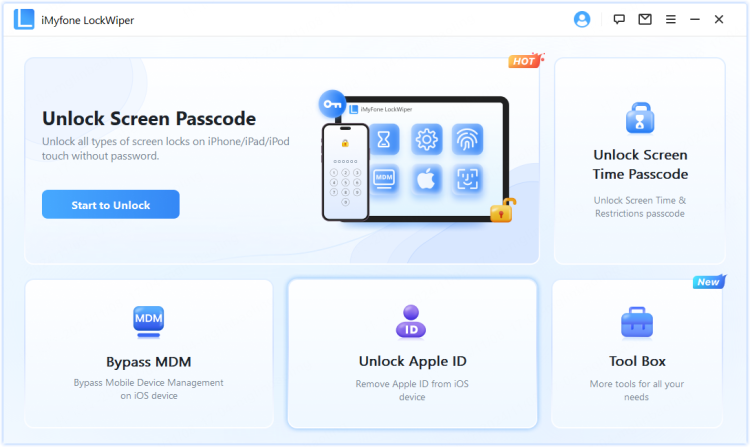
Step 1: Open LockWiper and choose the mode that matches the issue. Use Unlock Screen Passcode for a forgotten screen passcode, or Apple Account mode only when the device status matches that workflow.
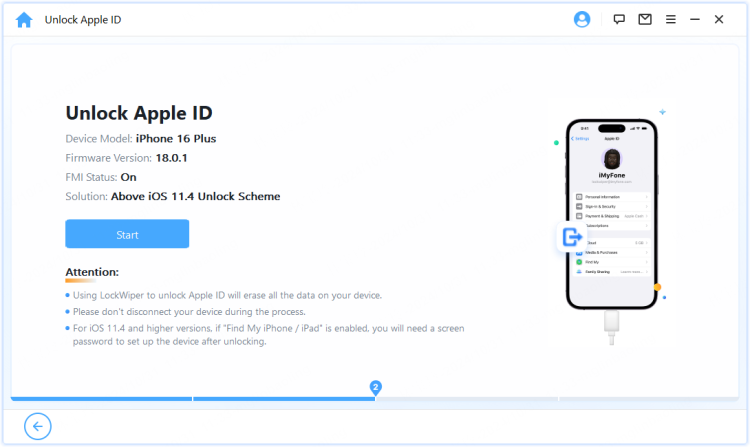
Step 2: Connect the iPad and follow the instructions. If the software asks for recovery or DFU mode, follow the device-specific button timing.
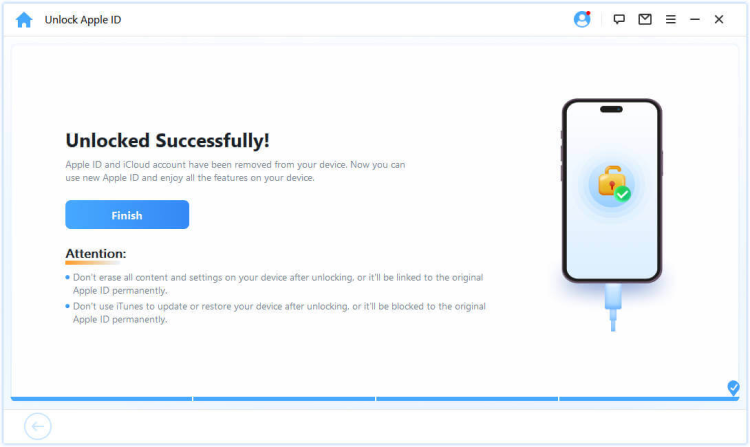
Step 3: Confirm the erase or removal warning, finish the process, and set up the iPad. Restore from a backup if available.
3 Restore iPad with Finder / Apple Devices / iTunes
Computer restore is useful when the iPad is locked, disabled, or stuck. On Mac, use Finder. On newer Windows, use Apple Devices. On older Windows setups, use iTunes. Put the iPad in recovery mode, then choose Restore.
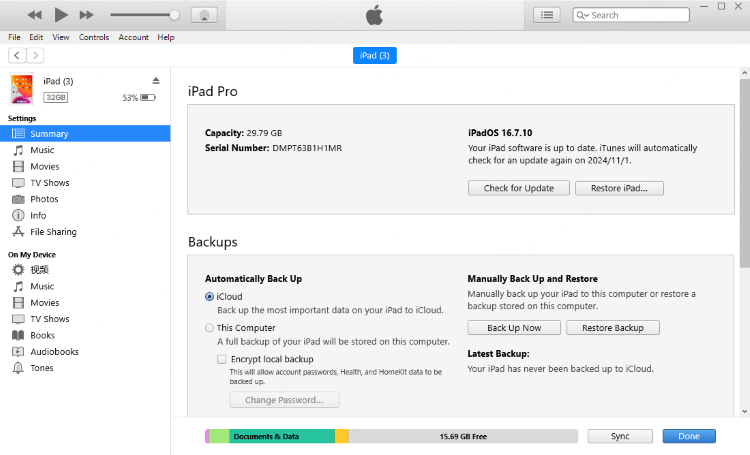
This erases the iPad. If Activation Lock appears after restore, enter the linked Apple Account or ask the previous owner to remove the device.
4 Use Recovery Mode
Recovery mode is the official path when the iPad cannot be erased from Settings. The button combination depends on whether the iPad has a Home button. Keep the iPad connected until the computer detects recovery mode.

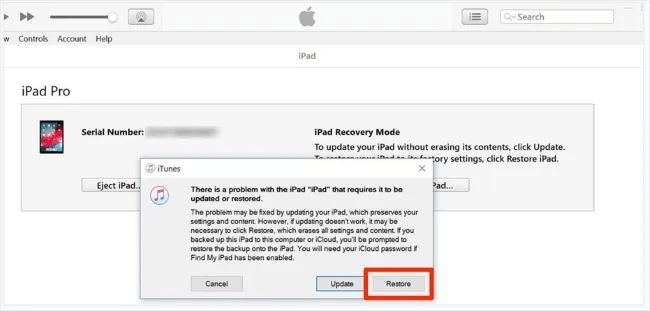
When seeing the message "iTunes has detected iPad in recovery mode" on the screen, click Restore button.

Note
Using recovery mode, you can reset an iPad without an iCloud password. However, once the reset completes, the device will still require the original Apple ID and password to unlock. If you cannot provide them, it will get stuck on the Activation Lock screen.
If the Find My feature was never enabled or has already been turned off, you will not encounter this issue after the factory reset.

iMyFone LockWiper
As mentioned, there are risks when using recovery mode to factory reset your iPad. If you need a hassle-free solution, try LockWiper to reset your iPad without an iCloud password in minutes.
5 Erase iPad with Find My
If Find My is enabled and you know the Apple Account, use Find Devices to erase the iPad remotely. This is free and official, but it requires the account and internet connection.
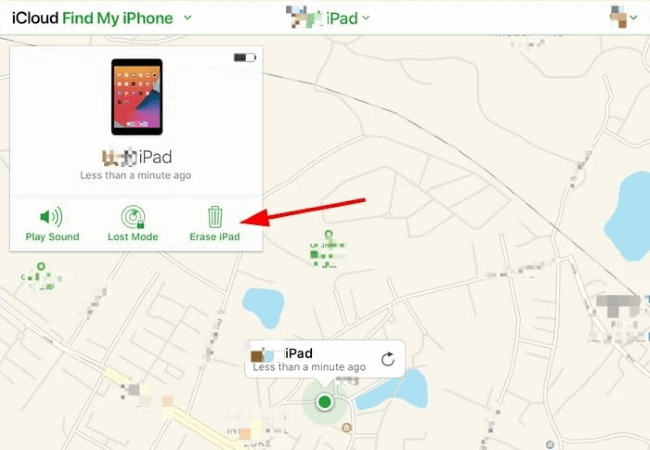
Step 1: Go to the iCloud's official website and log in with the Apple ID and password.
Step 2: Click where it says Find iPhone.
Step 3: In the maps window, click on All Devices, and find the iPad.
Step 4: Tap on Erase iPad and proceed to the next step.
FAQs About Erasing iPad Without iCloud Password
1 Can you factory reset an iPad without iCloud password?
Yes in some cases, such as when Find My is off or when you use recovery mode to erase a locked iPad. If Activation Lock appears afterward, you still need the linked Apple Account or ownership proof.
2 Can I factory reset my iPad with buttons only?
Buttons alone do not erase the iPad. They help put the iPad into recovery mode so Finder, Apple Devices, or iTunes can restore it.
3 Does factory reset remove an iCloud account?
It removes local data from the iPad. If Find My is active, Activation Lock can still require the linked Apple Account during setup.
4 How do I wipe iPad without iCloud if it is second-hand?
Ask the previous owner to remove the iPad from their Apple Account before you erase it. If they cannot, contact Apple with proof of purchase or return the device.
5 Can LockWiper reset iPad without Apple ID password?
LockWiper can help with screen passcode reset and supported Apple Account removal scenarios. It cannot replace ownership verification for an unknown-owner Activation Locked iPad.
Wrap Up
To reset an iPad without iCloud password, start with device status. Settings works when the iPad opens and Find My does not block the erase. Recovery mode and computer restore can erase a locked iPad, but Activation Lock may still appear. For a guided & efficient reset or unlock workflow, iMyFone LockWiper is a practical option with clear lock-type choices.


Smith Marius is an iOS expert who fixes system bugs, screen mirroring issues, and performance glitches. A Pokémon GO fan, he shares tips on location changer and game optimization, helping players and iOS users get the best experience.
-
[2025] How to Use iforgot.apple.com Unlock Apple ID?
iforgot.apple.com can unlock Apple ID and reset Apple ID password. Let's see how it works to help you regain control of your device.
3 mins read -
How to Use 3uTools MDM Bypass & Its Alternatives [ 2026 ]
How to use 3uTools MDM bypass tool? This article gives a full review of how to bypass MDM with 3uTools and its best alternatives as well.
3 mins read -
What Is iOS 18 iPhone Inactivity Reboot Feature? How Does It Work?
Do you know the feature of iPhone inactivity reboot after 3 days in iOS 18.1? What is it and how does it work? This article tells you all!
2 mins read -
[2026] 4 iPad Unlock Software [Free Way Included]
Looking for solutions to unlock ipad for free? This post introduce 4 ipad unlock software,including the free ipad unlock tool to you. Check it out!
4 mins read -
[2025] What Is iOS Account Manager & How to Remove It
What is iOS Account Manager? Can I remove it? This guide will explain what does iOS Account Manager mean and provide steps for you to remove it with ease.
3 mins read -
How to Fix This Apple ID Is Not Valid or Supported
This guide focuses on explaining and resolving why this apple id is not valid or not supported issues to help you fix Apple ID not working on iPhone problems.
3 mins read
Was this page helpful?
Thanks for your rating
Rated successfully!
You have already rated this article, please do not repeat scoring!