

















 Shop
Shop


Searching for icloud unlock free usually means one of two things: you forgot the Apple Account password on your own device, or a second-hand iPhone is asking for another owner's account during setup. Those are not the same problem.
An iCloud unlock service can be risky when it promises instant Activation Lock removal without proof of ownership. In 2026, the safer approach is to separate Activation Lock, Apple Account removal, DNS bypass, and account recovery before choosing any free iCloud unlock tool.

Quick answer
If the iPhone is on Activation Lock, use the linked Apple Account, previous-owner removal, or Apple proof-of-purchase support. If the device is already activated and you need to remove an Apple Account you are authorized to manage, LockWiper can help. Be cautious with free iCloud unlock service sites that ask for IMEI, payment, or identity documents before explaining the limits.
In this article:

What iCloud Unlock Can and Cannot Do
Many guides may use "iCloud unlock" to describe several different locks. A forgotten Apple Account password can often be reset. An Apple Account signed in on an activated iPhone may be removable. Activation Lock after erase is an ownership check and normally requires the linked account, previous owner, or Apple proof of purchase.
| Situation | What It Means | Safer Path |
|---|---|---|
| You forgot your own Apple Account password | Password recovery problem | Use Apple's account recovery first |
| Activated iPhone cannot sign out of Apple Account | Account removal or restriction problem | Use Settings, recovery, or LockWiper |
| Setup screen asks for previous owner's Apple Account | Activation Lock | Ask the owner to remove the device or contact Apple with proof |
| Remote Management appears after erase | MDM, not iCloud lock | Ask the organization or use authorized MDM removal |
Free iCloud Unlock Services Reviewed
These free iCloud unlock services are not equal recommendations. For any iCloud unlock free online service, check whether it explains Activation Lock, ownership proof, data risk, and payment before you submit device information.
1 DoulCi Free iCloud Removal Tool
Rating:

DoulCi is one of the oldest names in iCloud unlock discussions. It was often known as a server-based bypass tool, but modern iPhone activation checks are far stricter. Treat DoulCi as historical context unless you can verify a legitimate, current source.

Key Features of DoulCi
- Able to remove iCloud activation lock on iPhone/iPad.
- Enable you to access the device later.
Pros

- Familiar name in older iCloud unlock discussions.
- May explain how server-style bypass claims work.
Cons

- Current legitimacy is hard to verify.
- Not a reliable modern Activation Lock solution.
- High risk from mirror downloads and ads.
2 iCloud DNS Bypass Tool
Rating:
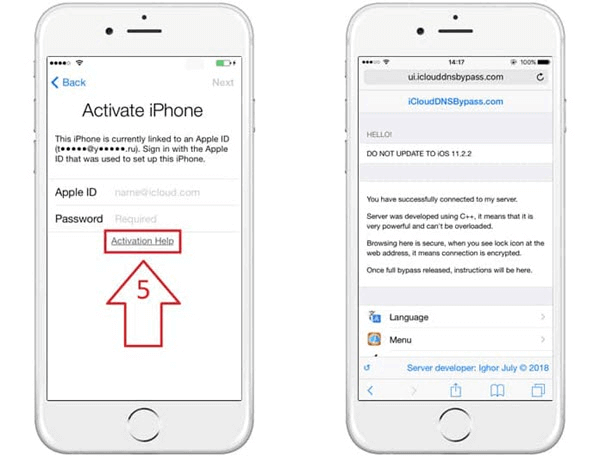
iCloud DNS free iCloud unlock tool helps you cheat the activation lock by modifying the server location, bypassing the iPhone activation path, and redirecting to a third party.
It may only show limited web-based functions on older devices (iOS 8 to 10) by redirecting network requests.
Key Features of iCloud DNS Bypass Tool
- Unlock iCloud without computer.
- Remove iCloud account on iPhone without paying.
Pros
- No software installation.
- Can be tested without submitting identity documents.
Cons
- Limited and temporary access.
- Not useful for normal iPhone setup.
- Does not remove the Apple Account ownership lock.
3 Open My iCloud
Rating:
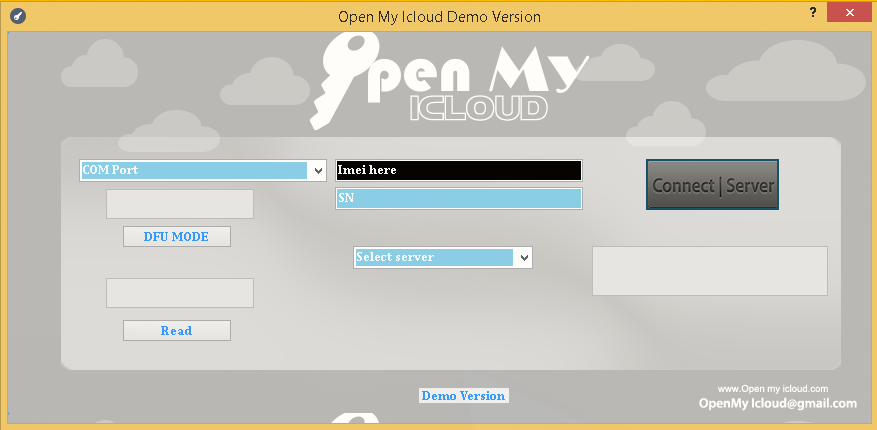
Open My iCloud appears in many older free iCloud unlock lists. The main issue is trust: users need to verify whether the site, download, and process are still maintained. Do not submit IMEI, serial number, or payment information unless the service clearly explains proof-of-ownership handling.
Key Features of Open My iCloud
- Bypass iCloud activation lock.
- Compatible with most of the iOS versions.
Pros
- Easy to find in older tutorials.
- May provide basic lock-type explanations.
Cons
- Current status is unclear.
- May lead to outdated downloads.
- No substitute for previous-owner removal or Apple support.
4 iCloudin iCloud Unlock Software
Rating:
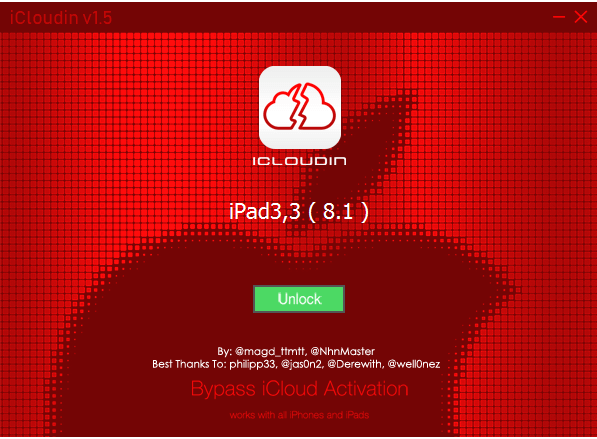
iCloudin is another old tool name that is now mostly seen on third-party download pages. That makes it risky for normal users. Even if a download works on an old device, it is not a dependable answer for current iPhones or iPads.
Key Features of iCloudin
- Supports multiple iOS versions and works on various Apple devices.
- Enable users to use it offline.
Pros
- Often described as free.
- May interest users with very old devices.
Cons
- Official source is difficult to confirm.
- Modern compatibility is poor.
- Malware and fake download risk are high.
5 UnlockMaker Online Free iCloud Unlock Service
Rating:
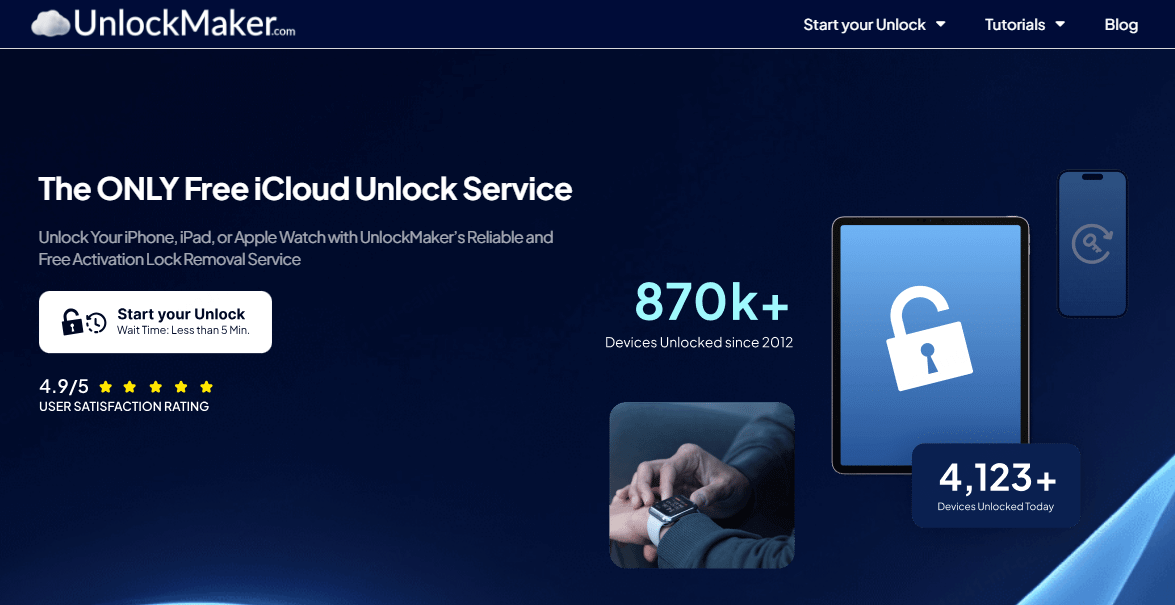
UnlockMaker-style services usually ask you to prove ownership. That is a useful concept, but it also means you may be sending sensitive documents to a third-party website. If the device is yours and you have proof, Apple Support is usually the cleaner path.
Key Features of UnlockMaker
- Claims to work without requiring a jailbreak.
- Uses the device's IMEI or serial number for verification and unlocking purposes.
Pros
- Mentions ownership proof, which matters for Activation Lock.
- No software installation for the initial check.
Cons
- Mixed user feedback.
- May request personal documents or payment.
- Not suitable for a forgotten screen passcode.
Paid iCloud Unlock Software and Services
Paid iCloud unlock software can be more transparent than free pages, but it still needs careful review. A legitimate service should explain device status, Find My requirements, supported models, refund limits, and whether it removes Activation Lock or only signs out an account from an activated device.
| Service Type | Use With Caution When | What to Check First |
|---|---|---|
| IMEI-based service | It promises instant iCloud unlock for any device | Proof-of-ownership policy, refund terms, and real support channel |
| Checkm8 / iRemove-style tools | It depends on device generation or system version | Exact model, activation state, and feature limitations after bypass |
| Apple Account remover | The device is already activated and you manage it | Find My status, passcode/2FA requirements, and data effects |
| Activation Lock service | The setup screen asks for another owner's account | Previous-owner removal or Apple proof-of-purchase path first |
1iMyFone iBypasser iCloud Unlock Service
Rating:
Pricing: $39.99 to unlock any iPhone models.
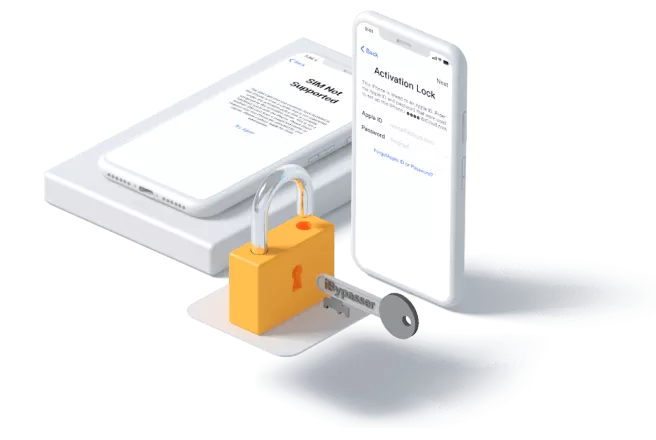
iBypasser is aimed at Activation Lock-style scenarios and appears in older iCloud unlock lists. If you keep it in your shortlist, read the supported device and system limits carefully. Activation Lock workarounds can have feature limits, so they should not be described as the same as normal ownership release.
iCloud Unlock Tool for Free Download:
- Bypass activation lock without previously used Apple ID and passwords.
- Powerful iCloud activation lock bypass tool that supports iOS 16.
- Access iPhone and use a new Apple ID after bypassing the activation lock screen.
- No worries about tracking or erasing from the previous Apple ID.
- Bypass DNS Server with a few clicks.
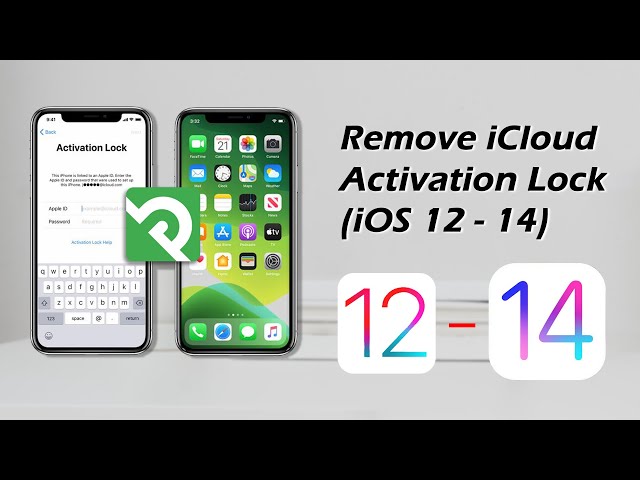
Steps on how to unlock iCloud account with iBypasser.
2 DoctorUnlock / DirectUnlocks
Rating:
Pricing: Start from $49.99
IMEI-based online services are attractive because they do not require installing software. The downside is that you may pay before knowing whether the device is eligible. Check reviews, refund terms, and whether the service clearly asks for ownership proof.


3 iRemove Tools / Checkm8
Rating:
Pricing: Start from $55 for iPhone 12 series. For higher models, the charges will be higher.
These tools are often tied to specific device generations or activation states. They may help some users understand what type of lock they have, but they are not universal iCloud unlock free download solutions.


Remove Apple Account with LockWiper
If your device is already activated and you need to remove an Apple Account or iCloud account, iMyFone LockWiper is a clearer choice than random free iCloud unlock pages.
As long as you can ensure that the Find My feature is disabled on your iPhone, you can use LockWiper to easily remove Apple ID/iCloud account without being locked by the activation lock, and you can sign in to your new account.
The whole process doesn't require any information or password. Just follow the detailed in-app instructions, and you will be able to remove your Apple ID in less than 5 minutes.

iPhone iCloud Unlock Tool
- Apple Account removal: Helps remove Apple Account/iCloud settings without knowing the password.
- Lock-type separation: Guides you to Apple Account, screen passcode, Screen Time, or MDM workflows instead of mixing different locks.
- Desktop process: Uses a USB connection and step-by-step prompts rather than unknown online unlock forms.
- Fast and easy: unlock your iPhone or iPad in just 5 minutes for all iOS versions and models.
Step 1: Install LockWiper and choose the Apple Account / Apple ID removal mode.
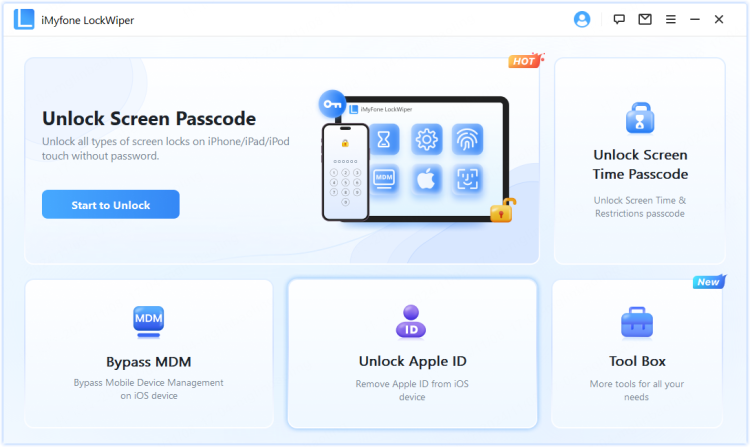
Step 2: Connect the iPhone or iPad, read the on-screen warnings, and confirm that you are working on your own or authorized device.
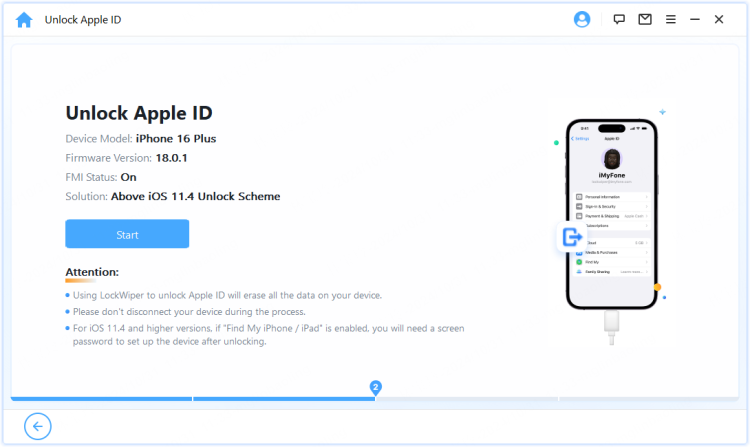
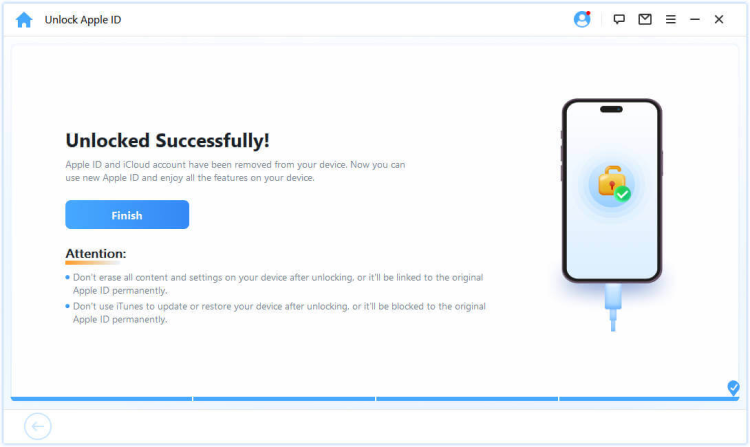
Step 3: After removal, restart the device, sign in with the correct Apple Account, and check iCloud, App Store, Find My, and Messages before handing the device to someone else.
FAQs About iCloud Unlock Tools
1 Can I unlock iCloud free online?
Be careful. Online free iCloud unlock services often cannot remove Activation Lock normally. If the device is yours, use Apple Account recovery or proof-of-purchase support first.
2 Is UnlockMaker free iCloud unlock service reliable?
It is safer to treat it as a third-party service that needs manual review, not a certain free fix. Check ownership requirements, payment terms, and data handling before submitting information.
3 Can LockWiper remove Activation Lock?
LockWiper is useful for Apple Account removal on supported activated devices and other lock types. If the device is on Activation Lock during setup, ownership verification remains the first step.
4 What is the safest iCloud unlock service?
The safest path is the one that matches the lock: Apple recovery for your own account, previous-owner removal for second-hand devices, and a reputable tool only for supported authorized-device cases.
Conclusion
Free iCloud unlock service often promise more than they can safely deliver. For Activation Lock, resolve ownership first. For an activated device where you need to remove an Apple Account you are allowed to manage, iMyFone LockWiper gives a cleaner and more transparent workflow than most free iCloud unlock online claims.


Tata Davis has in-depth knowledge in the field of data privacy of phones and computers. For several years, she has been committed to providing secure and convenient data erasure and data recovery solutions to help us protect our privacy data in the Internet age.
-
[2025] How to Use iforgot.apple.com Unlock Apple ID?
iforgot.apple.com can unlock Apple ID and reset Apple ID password. Let's see how it works to help you regain control of your device.
3 mins read -
How to Use 3uTools MDM Bypass & Its Alternatives [ 2026 ]
How to use 3uTools MDM bypass tool? This article gives a full review of how to bypass MDM with 3uTools and its best alternatives as well.
3 mins read -
What Is iOS 18 iPhone Inactivity Reboot Feature? How Does It Work?
Do you know the feature of iPhone inactivity reboot after 3 days in iOS 18.1? What is it and how does it work? This article tells you all!
2 mins read -
[2025] What Is iOS Account Manager & How to Remove It
What is iOS Account Manager? Can I remove it? This guide will explain what does iOS Account Manager mean and provide steps for you to remove it with ease.
3 mins read -
How to Fix This Apple ID Is Not Valid or Supported
This guide focuses on explaining and resolving why this apple id is not valid or not supported issues to help you fix Apple ID not working on iPhone problems.
3 mins read -
Easy Fix! Cannot Create Apple ID at This Time
If you are facing the dilemma of cannot create apple id at this time and don't know how to solve it, read this guide for an exhaustive solution.
3 mins read
Was this page helpful?
Thanks for your rating
Rated successfully!
You have already rated this article, please do not repeat scoring!