

















 Shop
Shop


If your iPhone won't go into recovery mode, the problem is usually one of three things: the button timing is off, the computer cannot detect the device, or iOS is too unstable to complete the recovery-mode handoff.
This guide walks through the checks that matter: model-specific button steps, cable and computer detection, free recovery-mode entry with Fixppo, iOS repair, update checks, and DFU restore when recovery mode still will not work.


Quick answer
If your iPhone will not enter recovery mode, first confirm the correct button sequence for your model, use a reliable cable, and try another USB port or computer. If manual entry keeps failing after an iOS 27 update or restore attempt, use Fixppo to enter recovery mode for free or repair the iOS problem before moving to DFU restore.
In this article:
- Why Won't My iPhone Go into Recovery Mode?
- How to Fix iPhone Won't Go into Recovery Mode
- Enter Recovery Mode with Fixppo [1-Click]

- Check iOS Update, Cable, and Computer Detection
- Try DFU Restore When Recovery Mode Still Fails
- How to Put iPhone in Recovery Mode Manually
- FAQ About iPhone Recovery Mode Problems
Why Won't My iPhone Go into Recovery Mode?
The most common cause is button timing. Newer iPhone models require a quick Volume Up, quick Volume Down, then a long Side-button hold until the recovery screen appears. Releasing too early at the Apple logo often sends the device back to normal startup instead.
Connection problems can also block recovery mode. A damaged cable, unstable USB hub, outdated Apple Devices app/Finder/iTunes, or a computer that does not trust the device can make the iPhone look like recovery mode failed even when the button sequence was correct.
If the issue started after an iOS update, restore, or downgrade attempt, the device may need a guided recovery-mode entry or system repair path before DFU restore. Start with the lower-risk checks below, then move to restore-based options only when the iPhone still cannot be detected.
You can watch the video on how to fix iPhone won't go into recovery mode:
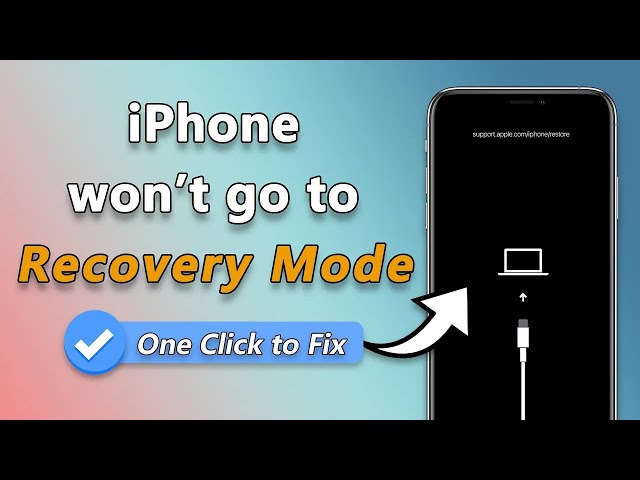
How to Fix iPhone Won't Go into Recovery Mode
Use the table first to choose the right path. If the buttons are the only problem, a free recovery-mode entry tool is fastest. If the iPhone is unstable after iOS 27, system repair is more useful. If both fail, DFU restore is the deeper but erase-based route.
| Fixing Methods | Best Use Case | Data Loss | Ease of Use | Time Required |
|---|---|---|---|---|
|
iMyFone Fixppo
|
Free recovery-mode entry and iOS repair workflow |

|

|
A few seconds for entry; About 10 min for system repair |
| Update iOS Version | When Settings still opens and the device can update normally |
|
|
Depends on download and installation speed |
| Enter DFU Mode | When recovery mode is unavailable and erase-based restore is acceptable |

|
|
Usually longer and erases the device |
1 Enter Recovery Mode with Fixppo [1-Click]
If the buttons keep failing, iMyFone Fixppo gives you a free way to enter or exit recovery mode from the computer. This is useful when the iPhone buttons don't work or your device is unstable but can still be detected by the computer.
To put your iPhone into recovery mode without repeating button timing, download Fixppo first.
Step 1: Launch the software after downloading, connect your iPhone to the computer with a stable cable, then click the Enter button on the interface to put the iPhone into recovery mode.

Step 2: Wait for the confirmation window. If the device is detected correctly, Fixppo will show that the iPhone has entered recovery mode successfully.

That is the quickest path when you cannot put iPhone in recovery mode manually. If the device later gets stuck there, use the same interface to get iPhone out of recovery mode with the Quit button.
What if the iPhone still will not enter recovery mode because iOS is damaged?
If the free recovery-mode entry feature cannot detect the device or the iPhone keeps returning to the same failed state, treat it as an iOS repair problem rather than a button problem.
Open Fixppo again and use the system repair workflow. Standard Mode is the better first choice when the iPhone is detected because it is designed for common iOS issues such as recovery mode not working, Apple logo freezes, failed updates, and reboot loops. If the device is severely corrupted, deeper repair or Apple restore may still be required.

Fix iPhone Not Going into Recovery Mode:
- No Manual Operation Required: Use the free recovery-mode feature to put iPhone in recovery mode without button.
- System Repair Path: Helps with iPhone recovery mode not working, Apple logo, black screen, reboot loop, and failed iOS update states.
- High Success Rate: Ensure high success rate to get iPhone into/out of recovery mode.
- Recent iOS Support: Supports many recent iPhone and iOS scenarios, including iOS 27 recovery-mode problems on supported devices.
If recovery mode still fails because of iOS damage, download and launch Fixppo, then follow the repair steps below.
Step 1: Enter Fixppo's interface, then choose Standard Mode under the Apple System Repair tab. Use this first for common iOS issues when the device can still be detected.

Step 2: When your iPhone model is detected by the software, click the Download button to get the firmware file for fixing the iOS system.
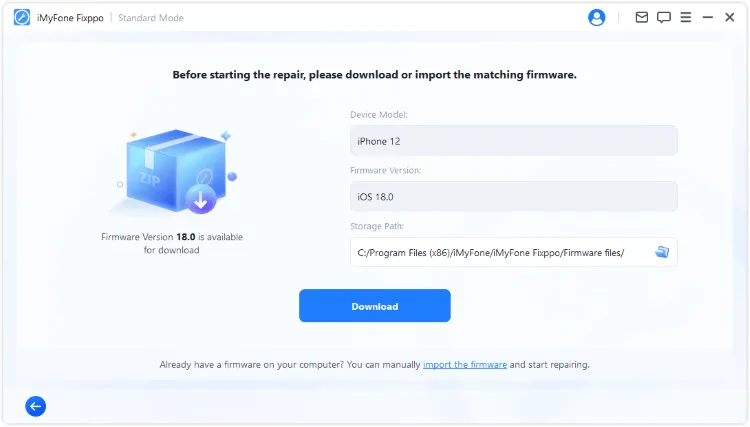
Step 3: After the firmware is downloaded, click Start Standard Repair. Keep the iPhone connected while Fixppo repairs the iOS problem that may be stopping recovery mode from working.

When the repair finishes, the iPhone should restart automatically. Try recovery mode again only if you still need to update or restore the device through Apple tools.

2 Check iOS Update, Cable, and Computer Detection
If your iPhone can still boot to Settings, update iOS before attempting recovery mode again. An incomplete iOS 27 update, an old Apple Devices app/Finder/iTunes environment, or a weak cable can make recovery mode detection fail even when the iPhone itself is working.

- Go to Settings > General > Software Update on iPhone and install the available update if the device can boot normally.
- On the computer, update Apple Devices on Windows or Finder/macOS/iTunes support, then reconnect the iPhone with an Apple-certified or reliable cable.
After updating and reconnecting, try the manual recovery-mode sequence again. If the iPhone still will not enter recovery mode, use Fixppo's free entry feature to avoid wasting time on repeated button attempts.
3 Try DFU Restore When Recovery Mode Still Fails
DFU Mode is deeper than recovery mode because it lets the computer restore firmware-level software when normal recovery mode is unavailable. Use it only after easier options fail, because a DFU restore erases the current device data.
▼For iPhone 8/X/11/12/13/14/15/16/17 to go into DFU mode:
- Quickly tap on Volume Up, then Volume Down.
- Hold the Power button for a few seconds for your device to go black.
- While holding the Power button, use another finger to press the Volume Down.
- A few seconds for entry; longer for system repair later, release the finger that is pressing the Power key. Continue to press the Volume Down button until your screen goes black entirely.
▼For iPhone 7/7 plus to go into DFU mode:
- Hold and press both the Volume Down and Power button for about 8 seconds.
- 8 seconds later, remove the finger from the Power button.
- Keep holding the Volume Down button for A few seconds for entry; longer for system repair. If your iPhone is in black screen now, it means you've successfully put it into DFU mode.
▼For iPhone 6 and ealier versions to go into DFU mode:
- Hold and press both the Home and Power button for about 8 seconds.
- 8 seconds later, release the Power button.
- Keep holding the Home button for A few seconds for entry; longer for system repair. When iPhone shows black screen, it's been set to DFU mode.

When the iPhone has entered DFU Mode, open Finder on Mac, Apple Devices on Windows, or iTunes where applicable. Let the computer detect the device, then choose restore only if you accept that the current device data will be erased.

Fix iPhone Won't Enter Recovery Mode
DFU restore can solve deeper firmware problems, but it erases the device. If your main problem is recovery-mode entry or an iOS repair issue after iOS 27, try Fixppo first: it can enter recovery mode for free and gives you a guided repair workflow before you choose an erase-based restore.
How to Put iPhone in Recovery Mode Manually
Recovery-mode timing changes by iPhone model. Before assuming the device is broken, follow the sequence below exactly and keep holding until the recovery screen appears. Seeing the Apple logo is not the stopping point.
▼For iPhone 8/X/11/12/13/14/15/16/17 to go into recovery mode:
Quickly press Volume Up, quickly press Volume Down, then press and hold the Side button. Keep holding after the Apple logo appears and release only when the recovery-mode screen shows.
▼For iPhone 7/7 plus to go into recovery mode:
Press and hold the Volume Down button and the Side button at the same time. Release when the recovery-mode screen appears.
▼For iPhone 6 and ealier versions to go into recovery mode:
Press and hold the Home and Side buttons together. Keep holding until the recovery-mode screen appears, then release both buttons.

This is the video on how to get iPhone into recovery mode:
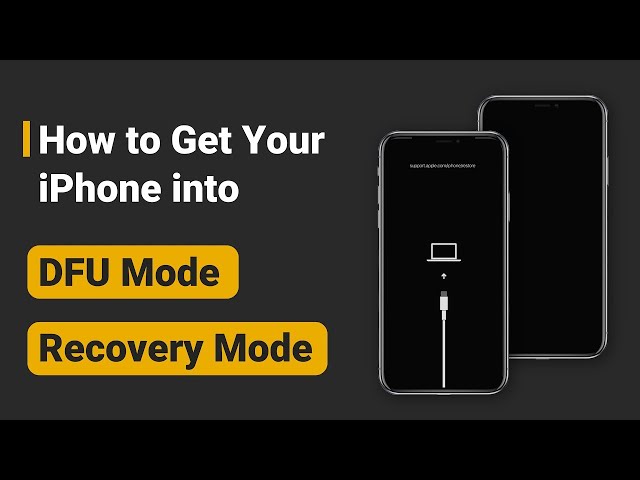
FAQ About iPhone Recovery Mode Problems
Why does my iPhone show the Apple logo instead of recovery mode?
You probably released the buttons too early. Keep holding through the Apple logo until the recovery-mode screen appears.
Can iMyFone Fixppo put iPhone into recovery mode for free?
Yes. Fixppo includes a free enter/exit recovery mode feature. If the device also has an iOS system issue, use the repair workflow after the iPhone is detected.
Does DFU Mode erase iPhone data?
A DFU restore erases the current device data. Use it after button checks, cable checks, free recovery-mode entry, and iOS repair have failed or when Apple tools require a full restore.
Final Words
When your iPhone will not go into recovery mode, do not jump straight to DFU restore. Check the model-specific button timing, cable, computer detection, and iOS update path first.
If manual recovery mode keeps failing, iMyFone Fixppo is the best next step in this guide because it can enter recovery mode for free and also handle iOS repair when the issue is tied to an iOS 27 update, restore, or system glitch. Download it, confirm the device is detected, and choose the path that fits the symptom.


Melvin Cooper has over 10 years of experience in the technology industry and is an expert at providing tips and handy solutions to Apple and Android users. Dedicated to helping millions of users improve their experience with mobile devices, he has maintained an impressive record of solving problems.
-
iPhone Not Charging After iOS 27 Update? 10 Fixes [2026]
iPhone not charging after update? Diagnose charger, temperature, port, and iOS issues, then learn when Fixppo or Apple service is the right next step.
7 mins read -
How to Get iOS Beta on iPhone in 2026 (Full Guide)
Learn how to get iOS beta, install iOS 27 public or developer beta, remove it safely, and fix stuck beta update issues.
12 mins read -
Fix iPhone Stuck on Update Requested [iOS 27 Supported]
iPhone stuck on update requested? Learn why it happens and discover 8 proven solutions to get your iOS update back on normal without data loss.
3 mins read -
[2026 New] How to Stop iOS 27/26/18 Update in Progress?
How to stop iOS 27/26/18 update in progress when you feel like staying in the current iOS version? Here's how to do it via 4 methods.
3 mins read -
5 Ways for iOS 26 Beta Download [Developer & Public Beta]
How to get iOS 26 beta? Whether you want to download iOS 26 developer or public beta, you can find the suitable methods with our guide. 5 Ways here!
3 mins read -
17 Important Facebook Statistics You Should Know in 2026
Do you want to know some up-to-date Facebook statistics? We break down 17 must-know Facebook stats about demographics, engagement rate and more.
3 mins read
Was this page helpful?
Thanks for your rating
Rated successfully!
You have already rated this article, please do not repeat scoring!